Welcome to Planera EDU

Easy, collaborative, powerful CPM scheduling software, now free for university students!
Planera EDU Program Guidelines

To ensure a smooth and effective experience, Planera EDU is designed for faculty-led adoption. Here’s how it works:

  • Faculty-Only Registration – Access to Planera EDU is granted at the faculty level. Students cannot sign up individually.
  • Designated Administrator – Each institution selects a faculty member or administrator to onboard with Planera. This person can invite colleagues to collaborate.
  • Student Access Management – Faculty members add students using their .edu email addresses at the start of each semester and are responsible for guiding them on using the platform.

We’re excited to support the next generation of construction professionals with the future of scheduling! If you’re interested in bringing Planera to your program, fill out the form below to get started.

Frequently Asked Questions

To help you make an informed decision, we've compiled some of the most commonly asked questions.

Is Planera EDU free for students and educators?

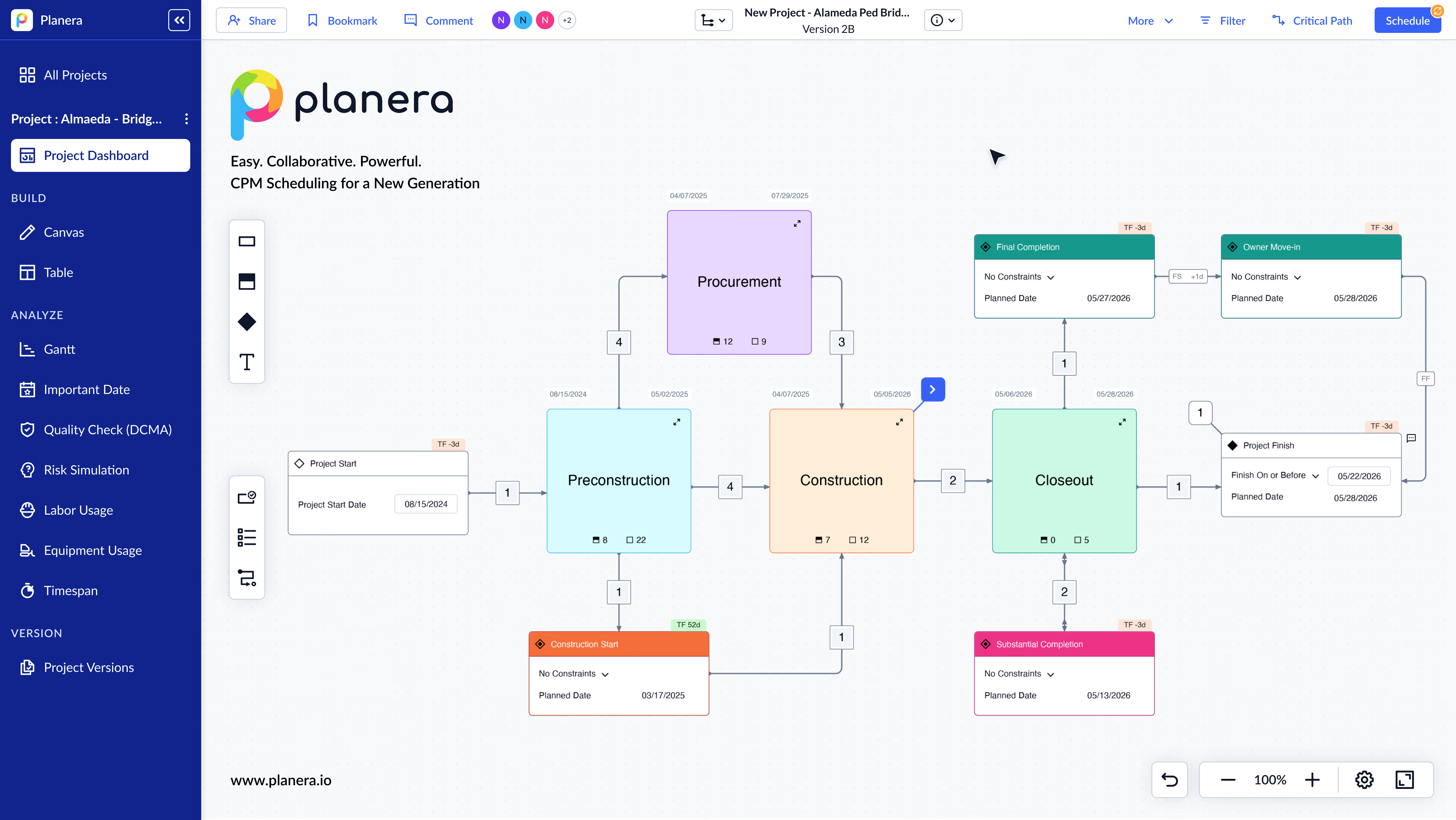
Yes. Planera EDU gives students and educators free access to the full CPM scheduling platform used on real construction projects. There's no cost for qualifying academic programs, and students get the same engine professionals use, with critical path calculation, network logic, float analysis, and resource loading built in.

How does learning CPM scheduling on Planera compare to learning on P6?

Planera teaches the same CPM fundamentals (predecessor/successor relationships, FS/SS/FF/SF logic, lag/lead, float, constraints) but in a modern interface that students can pick up quickly. P6's learning curve often means more time fighting the software than learning scheduling concepts. With Planera, students focus on the logic, not the UI.

What construction scheduling concepts can students learn with Planera?

Students can build full network schedules with all four dependency types, apply date constraints, calculate critical path and float, run DCMA 14-point quality checks, perform Monte Carlo risk simulations, and load resources. These are the same capabilities used on real projects worth hundreds of millions of dollars.

Can students work with real construction schedule file formats?

Yes. Planera supports XER, XML, and MPP import and export. Students can work with real project schedules from P6 or Microsoft Project, giving them practical experience with the file formats they'll encounter in the field after graduation.

Does Planera EDU prepare students for scheduling certifications like PSP?

Yes. Because Planera uses real CPM methodology, including network logic, float calculations, resource loading, and schedule quality checks, students build the foundational knowledge tested in PSP, PMI-SP, and other scheduling certifications.

How do professors set up Planera EDU for their construction management courses?

Educators can request access through the Planera EDU page. Planera's team works with instructors to set up class accounts and can provide sample project schedules for coursework. The platform works in the browser, so students don't need to install anything.

Construction scheduling, the way it should be

academic@planera.io
3001 Bishop Drive, San Ramon, CA 94583

Get Planera at Your Campus—For Free!

Sign up now to join the list and bring Planera’s visual CPM scheduling to your campus!

Thank you! Your submission has been received!
Oops! Something went wrong while submitting the form.